




Read 24 SiteDocs reviews and testimonials from customers, explore 1 case studies and customer success stories, and watch 2 customer videos to see why companies chose SiteDocs as their undefined

SiteDocs is a digital safety management system that allows you to move your entire safety program from paper, clipboards and filing cabinets to the iPad and web. Your SiteDocs account allows you to add locations, workers, and to create digital versions of all your safety documents.

Show more
Customer Rating Review Scorebased on 2224 reference ratings
4.8/5.0 (2224)

24Testimonials

  • “As I was recently carrying out our yearly audit I realized we needed a more compact, user-friendly and easily-accessible digital documentation system for our job sites. I began searching online and fell upon SiteDocs by chance. I was instantly struck by how multi-functional the program seemed, and I loved the website and the fact that SiteDocs is a Canadian company. I’ve come to expect the odd hiccup when rolling out new software to employees. However, when I introduced SiteDocs I was surprised to find that almost all my Superintendents were praising the system instantly. They were relieved they didn’t have a mound of paperwork to carry around onsite with them everyday. All our Superintendents already had their own iPads and iPhones/Android phones to access project documentation through Dropbox, so introducing an app they just had to download was very straightforward. For a smooth transition, I suggest watching all the available tutorial videos prior to signing up for the demo. I did this and found it optimized my tutorial with Amie [Sales Representative] as it meant I already had the basic knowledge of the system and could ask more detailed questions on the functionality, layout and capabilities of the software specific to our company. Once we decided to go ahead with the application, the setup meeting I had with Dana [Customer Support] provided even more specific information, particularly as we talked through how to best build our forms into the system in order to optimize their usage on site. When rolling SiteDocs out to employees, I suggest adding everyone’s name into the system first. Once I did this, all it then took was an email from me – I instructed them on how to download the app, sent them links to the relevant tutorial videos, and directed them to a “Demo Project” on the app so they could first trial all the forms and report back to me with any issues or suggestions to adapt. When I visited them on site, I backed it up by having a brief review with each employee on how they were finding the software and how I could assist them in making it easier to use. I was impressed to find there were little-to-no complaints, and those that were raised were easy to rectify (i.e. adding a missed form into the system and adding a newly activated project). I would highly recommend SiteDocs to anyone. A huge thank-you to SiteDocs for making our lives easier, more cost effective and smoother!”

23 more testimonialscurrently locked

1 Case Studies

  • How We Got COR Certified With SiteDocs

0 more case studiescurrently locked

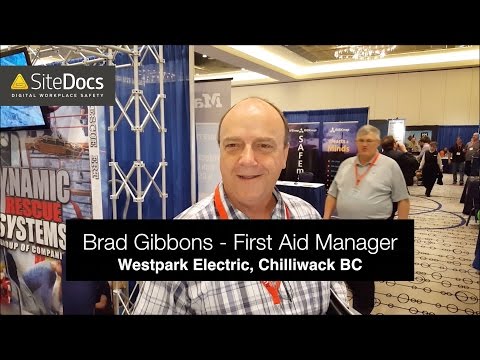
2 Customer Videos

1 more videoscurrently locked

Additional SiteDocs Information & Resources

Read SiteDocs Reviews, Testimonials & Customer References from 24 real SiteDocs customers.

Browse SiteDocs Case Studies, Customer Success Stories, & Customer References from 1 businesses that use SiteDocs.

Watch SiteDocs Customer Videos to learn why 2 businesses chose SiteDocs.
